For Operations teams, importing data into Salesforce is rarely just a technical task. It is an operational reliability problem. Every import directly affects forecasting accuracy, pipeline visibility, and executive confidence in reports.
Most Salesforce import failures do not originate from the platform itself. They are caused by fragmented processes around it. Manual file preparation, inconsistent rules, and unclear ownership introduce small errors that quietly compound. Over time, these issues turn the CRM into a system teams work around instead of relying on.
The Real Cost of Bad Imports for Ops Teams
Poor imports create more than technical debt. They create organizational drag. Duplicate records inflate pipeline numbers and distort conversion metrics. Missing or incorrect fields block automation and slow down downstream workflows.
As data quality declines, Sales and Leadership begin questioning reports. Ops teams are then pulled into reactive cleanup work, spending time fixing past imports instead of designing better systems.
The Three Practical Ways to Import Data Into Salesforce
There are several common approaches to importing data into Salesforce. Each approach can work, but only when matched correctly to volume, frequency, and risk tolerance.
Using the Salesforce Import Wizard
The Salesforce Import Wizard is the most accessible option. It is designed for small, controlled imports handled directly inside Salesforce.
This approach works best for one-time actions, such as importing a short list of leads or correcting a limited set of records. The setup is fast and requires little configuration.
However, its limitations quickly surface in operational contexts. Record limits, minimal validation logic, and basic error handling make it risky for repeat use. For Ops teams, the Import Wizard is a convenience tool, not an operational solution.
Bulk Loaders and External Import Tools
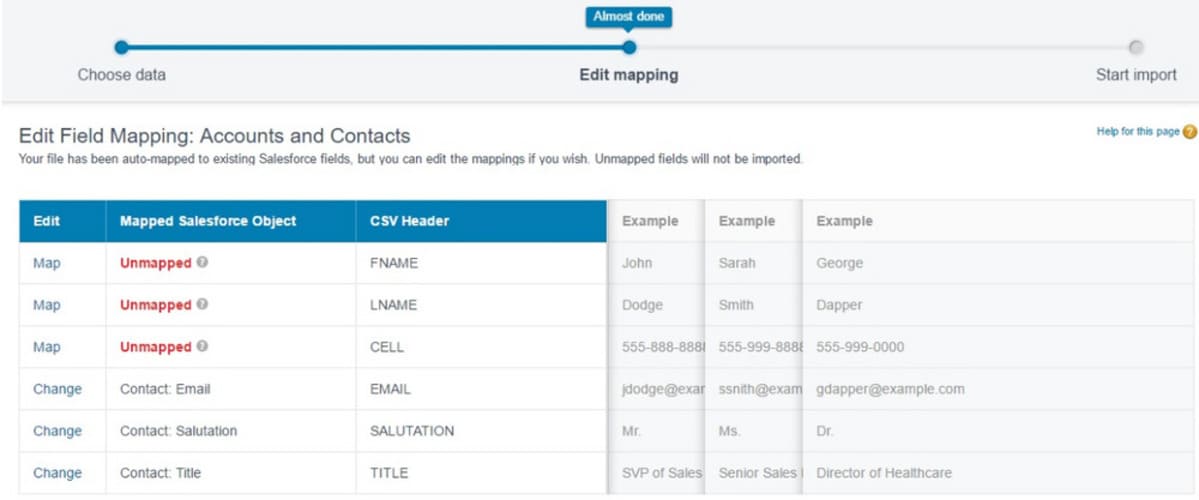
Bulk loaders and third-party import tools extend Salesforce’s native capabilities. They support larger datasets, scheduled jobs, and more detailed field mapping.
These tools are often used during migrations or large data backfills. They provide more control, but they still depend heavily on manual preparation. Files must be cleaned, mappings reviewed, and failures resolved by hand.
Over time, this reliance on human execution introduces inconsistency. The process may work today, but it becomes fragile as teams grow or ownership changes.
Automation-First Import Workflows
Automation-first imports treat data movement as a system rather than a task. Instead of uploading files manually, workflows continuously pull data from source systems, apply consistent rules, and push validated records into Salesforce.
For Ops teams managing recurring imports, automation reduces risk and cognitive load. Rules are defined once and executed the same way every time, creating predictability and operational confidence.
A Reliable Salesforce Import Pattern for Operations
Source, Clean, Map, Upsert, Log
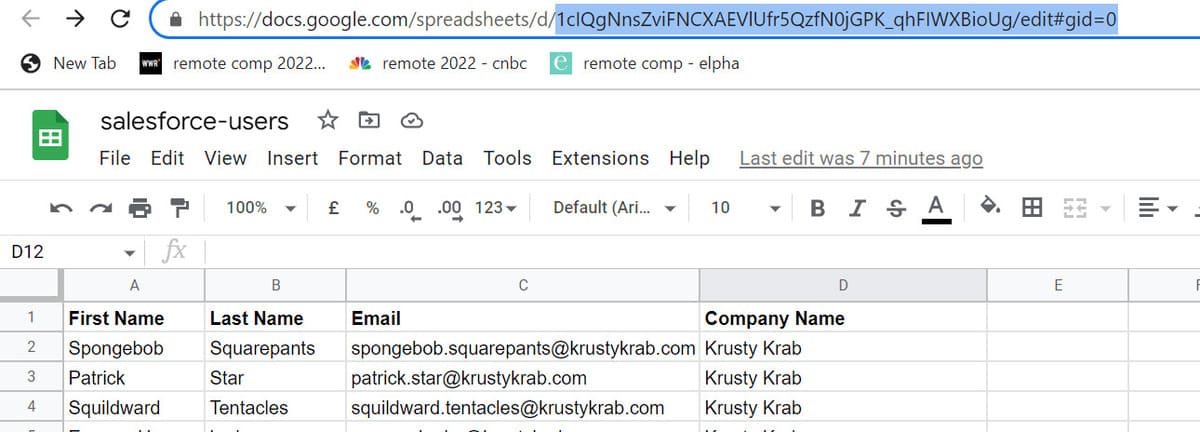
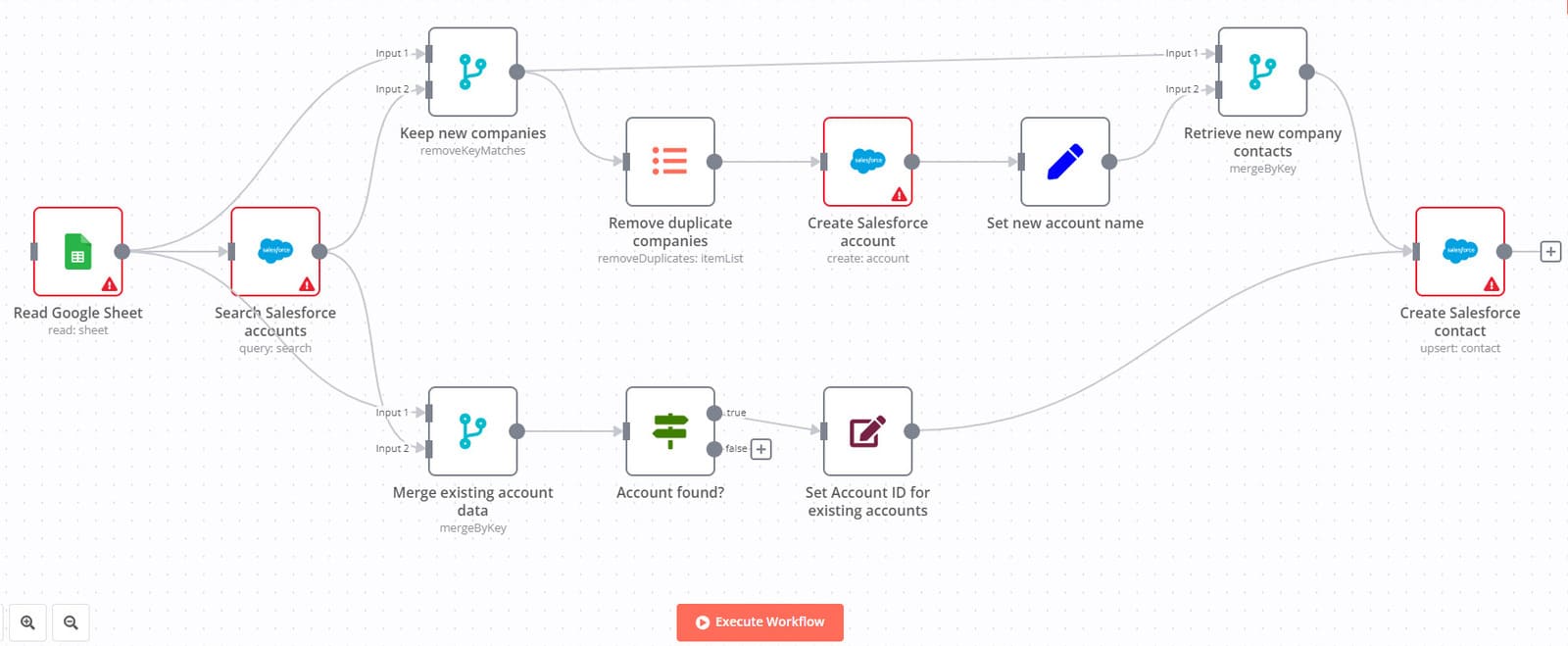
The process begins by collecting data from the source system, whether that is a database, spreadsheet, or external platform.
Before any data reaches Salesforce, it is cleaned and validated. Formats are standardized, required fields are checked, and invalid records are flagged early.
Next, fields are mapped explicitly to Salesforce objects. This removes ambiguity and prevents accidental data loss.
Records are then upserted using unique identifiers. Upserts allow updates without creating duplicates, protecting data integrity.
Finally, every action is logged. Successful records, skipped rows, and failures are recorded so Ops teams can audit outcomes and diagnose issues quickly.
Common Salesforce Import Pitfalls and How Ops Teams Avoid Them
Duplicate Records
Duplicate records usually occur when imports rely on inserts instead of upserts. Without a clear unique identifier, Salesforce cannot determine whether a record already exists.
Ops teams prevent this by defining ownership of deduplication logic and enforcing consistent keys across all import workflows.
Picklist and Value Mismatches
Picklist mismatches cause imports to fail silently or create inconsistent reporting values. This often happens when source systems use different naming conventions.
Normalizing values before import ensures Salesforce receives only valid, expected inputs.
Missing Required Fields
Missing required fields typically surface late in manual import processes. By validating required fields before import, Ops teams catch issues early and avoid rework.
Silent Failures
The most dangerous failures are the ones no one notices. Imports that partially fail without alerts create false confidence in the data.
Logging and alerting ensure Ops teams know exactly what happened and can respond immediately.
When Operations Teams Should Automate Imports
Automation is not always required. Small, low-risk imports may be handled manually without significant downside.
When imports are frequent, business-critical, or span multiple systems, automation becomes the safer and more sustainable approach. The cost of building automation is often lower than the long-term cost of repeated cleanup.
Final Thoughts for Ops Teams
Salesforce data imports shape how organizations understand their performance. Ops teams that treat imports as repeatable systems spend less time correcting mistakes and more time improving operations.
Clean data is not about perfection. It is about consistency, reliability, and trust.